Can You Decode a JWT Without the Secret Key?
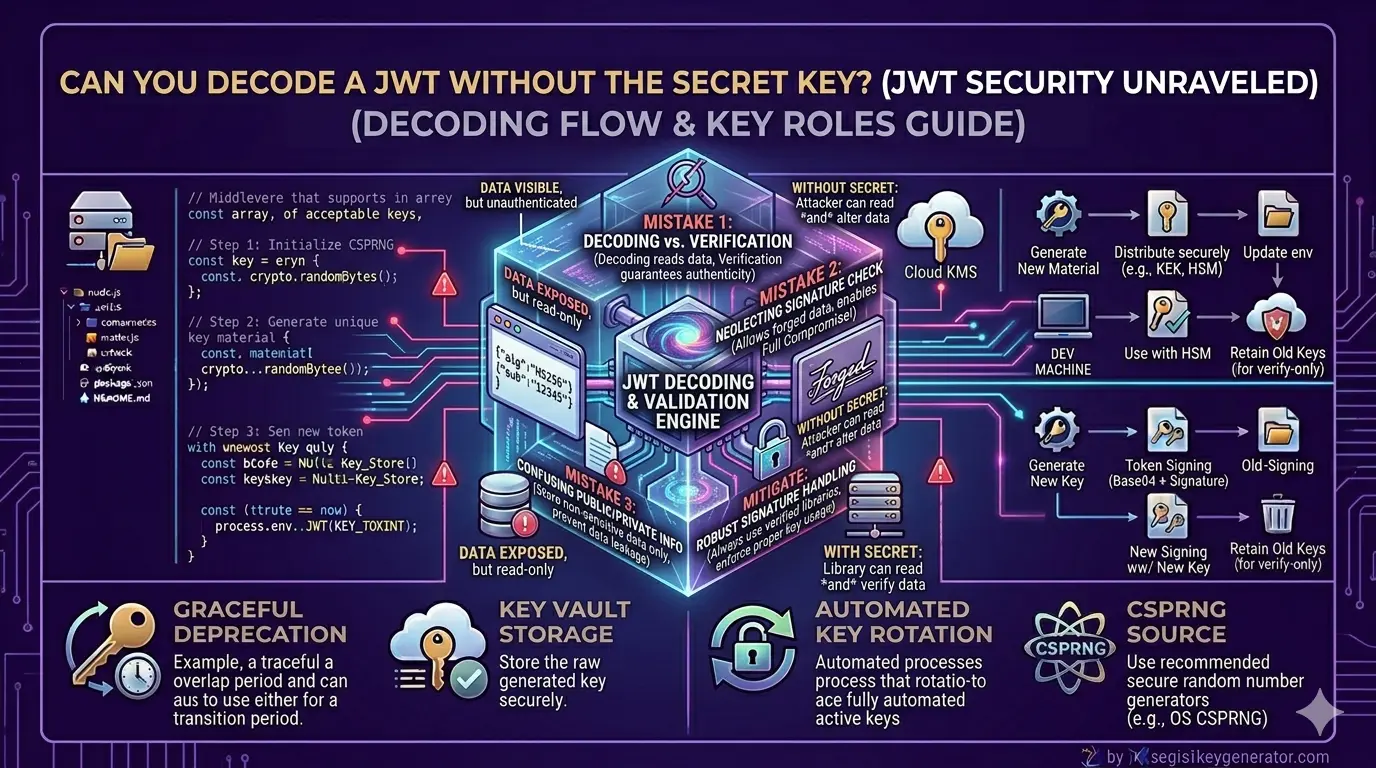
In a sealed letter without the sender's official stamp, you can't know if the letter is authentic or if someone altered the text along the way. Similarly, JSON Web Tokens work in the world of web development. JWTs are a popular toolset generally used by applications to know about the user details when they log into their system. It establishes a safe bridge between the user and the server to exchange information.
Most people who don't have in-depth technical knowledge when looking into these tokens have long, messy strings of random letters and numbers, then they make dangerous assumptions like data is completely encrypted, hidden, and safe from an attacker's eyes. They also have a tendency to believe that without a secret cryptographic key, the token is unreadable.
In reality, it is possible to decode a JWT without having the secret key. One thing you must know is that there is a massive difference between decoding a token and verifying it. Any human who somehow intercepts your JWT can easily get access to your application and extract every piece of data within seconds. They do not need to have your password or your secret key to do it.
How a JWT is Built
In order to understand the basics of JWT and why JWT is so easy to read, you first have to know how JWT is built. When you simply look at JWT then you find a long string of random characters. However, if you notice, then you find that it is divided into three distinct parts, separated by two periods:
Header: This is the first section. Its function is to tell the system what type of token it is and which cryptographic algorithm was used to secure it.
Payload: This is the middle section, and it has the actual data, such as user information, user ID, and account type. These pieces of information are called "claims".
Signature: This is the final section. It acts like the security guard of the token. This system uses a mathematical formula to combine the header, payload, and a secret key to generate a signature.
The Role of Base64 Encoding
Base64 encoding is the reason behind why anyone can read a JWT without a key. When you look at the header and payload of a token, they appear scrambled. Viewing the mess of letters and numbers, many people tend to believe that data is safely encrypted. However, encoding is not encryption.
The motive behind any encryption is to hide information. It locks the data with the help of a secret key so that an unauthorized user cannot read it. On the other hand, encoding can also be defined as a way of changing data into a different format. Base64 encoding takes the original data and converts it into a string of basic characters.
In short, Base64 encoding is like writing a message in Morse code.
Decoding vs. Verifying
It is important to know the difference between decoding a token and verifying it. Decoding simply means converting the token back into readable text. As we know, the header and the payload are just Base64 encoded strings. It is very easy to decode an encoded string; you just have to paste the token into a website like JWT.io, and the system simply reverses the base64 translation within milliseconds to decode it. Anyone can read who the user is, and when the token expires.
Verifying is a completely different thing. It means proving that the data contained in the token can actually be trusted. This is where the role of the secret key becomes crucial. It's not like decoding; here, it uses a secret key to recalculate the token signature. If the server matches the secret key, then it proves two things. Once the token was created by a trusted source and second, the data inside has not been altered.
The Security Risks You Need to Know
- One can simply steal credentials by decoding when the user puts passwords inside the payload.
- It becomes a major risk factor when storing sensitive credit card details in JWT because it may expose your data to anyone who intercepts the network.
- Attackers can easily obtain exposed email addresses from decoded tokens to launch targeted phishing campaigns.
- If you fail to encrypt highly sensitive data within a JWT means you are transmitting private corporate information.
- If you include the full encryption keys in the header, it defeats the very purpose of security.
How to Keep Your JWTs Safe
- Do not store your passwords or important information inside the token payload.
- Always use HTTPS to protect your tokens from being intercepted online.
- Always verify the signature on the server before trusting any data.
- Securely store the token in httpOnly cookies to protect against malicious script access.
- Regularly rotate your secret keys to maintain robust backend security.
